If you have ever researched self-publishing activity books on Amazon Kindle Direct Publishing (KDP), you have likely run into the same frustrating barrier: every guru tells you to buy expensive software. Between $30/month subscriptions for specialized puzzle makers, pricey graphic design tools, and paid Canva extensions, you could easily spend $300 to $500 before publishing a single book.
Here is the truth: you do not need expensive paid software to make bestselling puzzle books. Today, print-ready, high-resolution vector puzzle generators are available completely free. Whether your goal is to build a recurring royalty stream with niche word searches, sell classic newspaper crosswords, or publish progressive sudoku books, this step-by-step tutorial will show you exactly how to do it with zero financial risk.
What You Will Learn in This Guide
We will walk through choosing a profitable puzzle niche, generating clean interiors with a free KDP puzzle book maker, formatting trim sizes and gutter margins, preparing answer keys, and uploading your final PDF to Amazon KDP for maximum sales.
The Hidden Cost Trap of Puzzle Book Publishing
The low-content and medium-content publishing model on Amazon KDP is appealing because there is no upfront inventory. Amazon prints each paperback on demand when a customer places an order, ships it with Prime, and deposits royalties directly into your bank account.
However, many aspiring self-publishers get trapped by software fees before validating their first idea. Monthly subscriptions eat into your margins before your book has even earned its first review. If you publish three books over six months and pay $40 a month for tools, your initial books start with a $240 deficit.
By switching to a modern, browser-based KDP activity book generator that provides 300 DPI vector PDF exports for free, your upfront production cost is strictly $0.00. Every dollar you earn in royalties is profit.
Step 1: Pick a Focused, High-Demand Puzzle Niche
The biggest mistake beginners make is publishing a generic "100 Puzzles for Adults" book. There are tens of thousands of generic puzzle books on Amazon, and competing with established brands on broad keywords is nearly impossible.
Instead, winners win in the sub-niches. When brainstorming, combine a puzzle type with a specific theme, demographic, or interest:
- Thematic Hobbies: Gardening word searches, woodworking crosswords, retro 80s pop culture puzzles.
- Target Audiences: Large-print crosswords for seniors (with 15px+ legible font sizes), beginner mazes for preschoolers, sight-word word scrambles for first graders.
- Mindfulness & Relaxation: Stress-relief nature word search books, inspirational Bible verse cryptograms, coffee-break sudoku books.
A customer searching Amazon for "gardening word search puzzle book for seniors large print" has very high purchase intent. If your book title, cover, and interior match that exact phrase, you will convert sales without paying for ads.
Step 2: Generate Your Puzzle Interior (The Free Toolkit)
Once you have chosen your theme and target audience, it is time to generate the puzzle pages. For a standard 80 to 100-page book, you will want 50 to 80 unique puzzles, followed by solution pages at the back.
Let us examine how to create the three most popular and profitable puzzle types using the free tools on Publisher Tool Hub:
1. Creating Word Search Puzzles
Word search books are by far the highest-volume puzzle category on Amazon. The key to a successful word search book is clean, uncluttered layout and thematic word lists.
Using the Coloring Word Search Studio, you can either enter your own curated word lists or use the built-in AI topic assistant. Type in a niche like "Medicinal Herbs" or "Space Exploration", and the tool automatically generates thematic word lists, places them across horizontal, vertical, and diagonal orientations, and ensures every word fits comfortably.
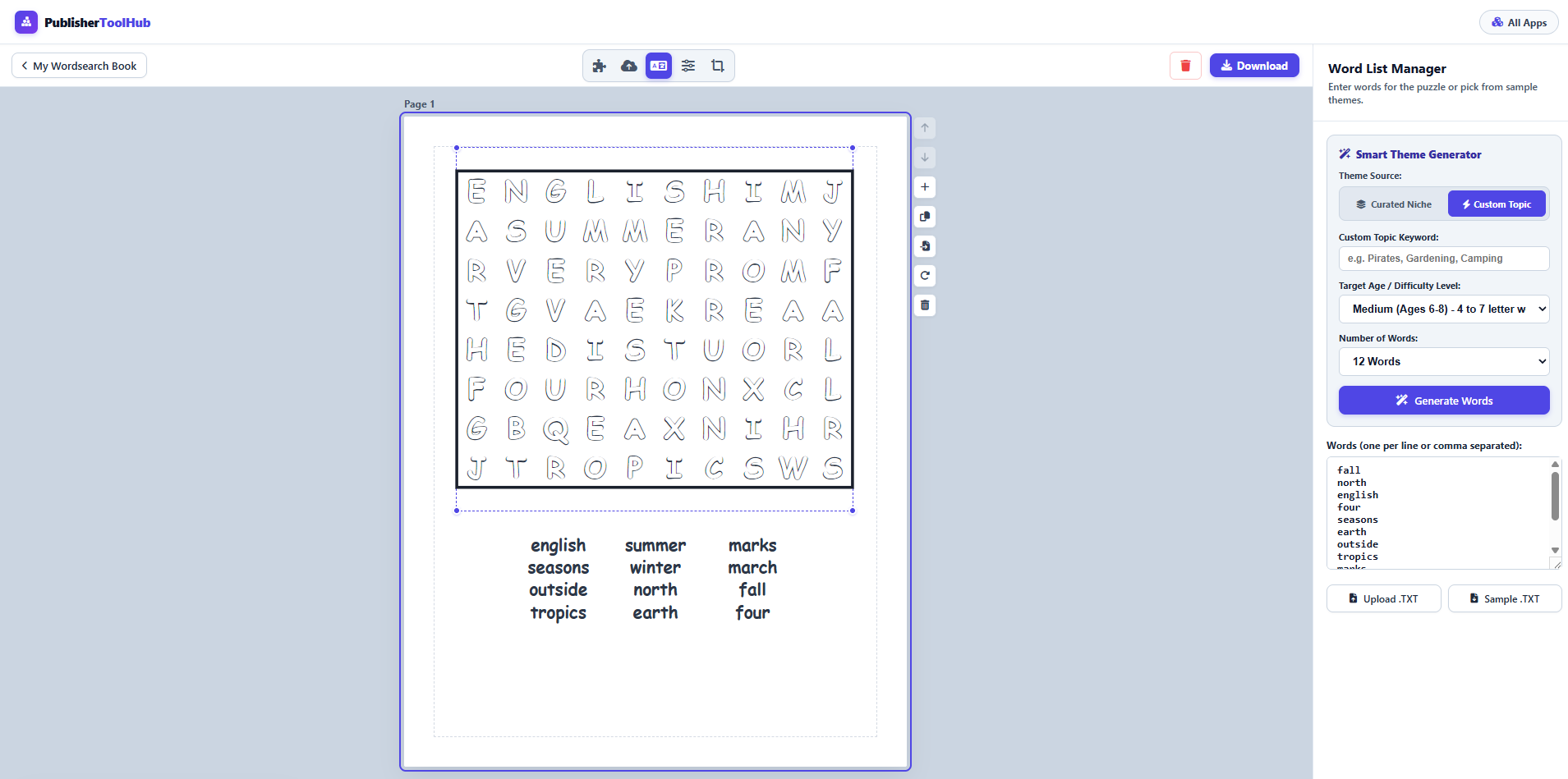
Best of all, you can customize fonts, letter spacing, and line styling. For senior books, keep your letter grid clean with a generous 15px or 16px clue font size so readers never have to strain their eyes.
2. Creating Classic Crossword Puzzles
Crosswords command higher retail prices on Amazon because customers view them as higher-value mental exercises. However, creating crossword intersections by hand used to take hours per page.
With the Crossword Studio, words and clues are placed automatically. The intersection engine arranges your words into a dense newspaper-style crossword grid, calculates Across and Down sequential numbering, and formats the clue list directly underneath the grid:
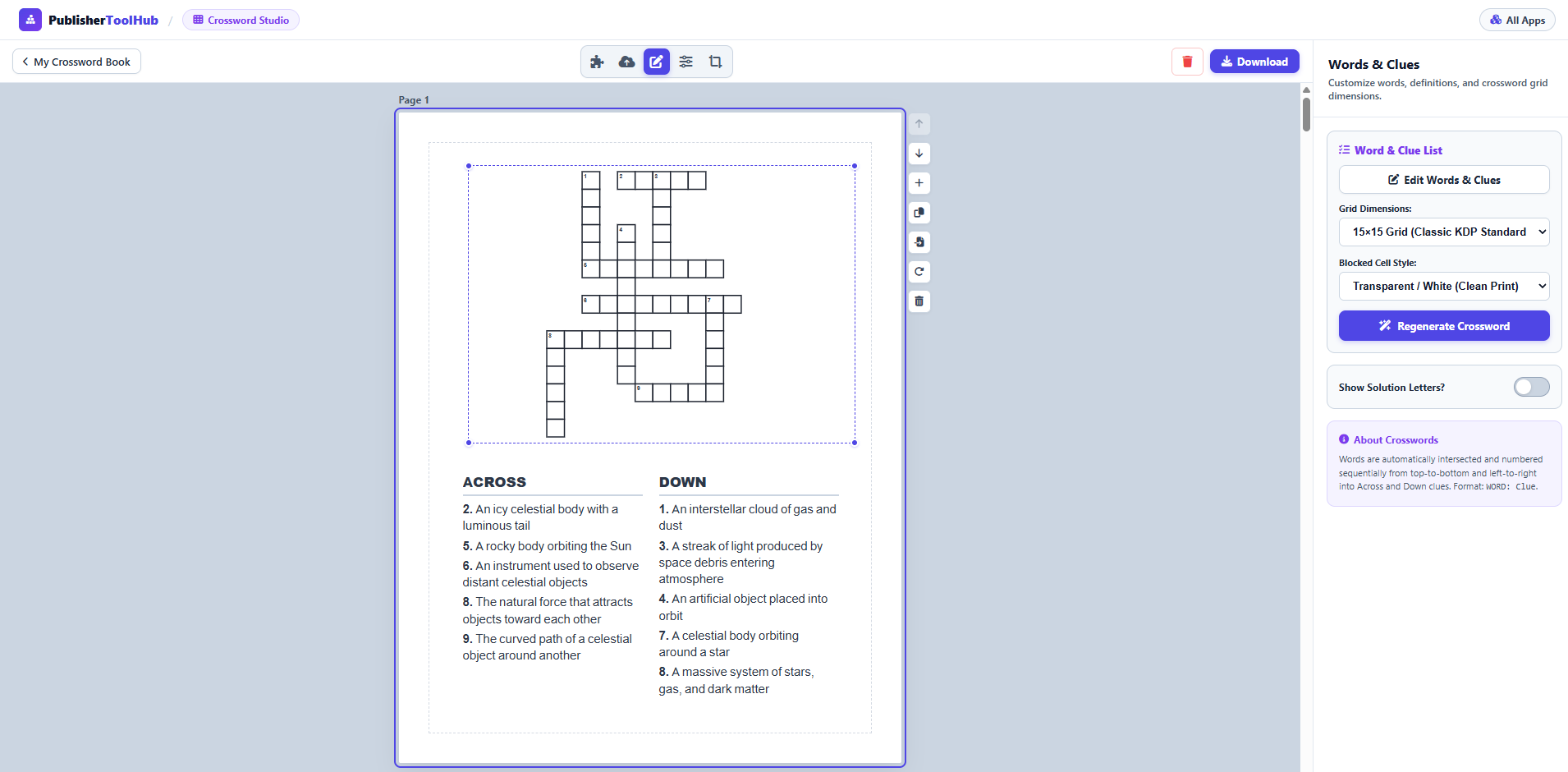
You can select from multiple grid sizes (11×11, 13×13, 15×15, or 17×17) and toggle between classic solid black blocks or modern minimalist styling. If you have compiled a niche dictionary in a simple text file, the bulk import feature builds 20, 30, or 50 complete crossword pages in a single click.
3. Creating Symmetric Sudoku Puzzles
Sudoku has a passionate worldwide audience. Serious sudoku solvers demand two things: progressive difficulty and a guaranteed unique solution. Puzzles generated by low-quality random scripts with multiple valid solutions will immediately trigger 1-star negative reviews on Amazon.
Using the Sudoku Puzzle Studio, every 9×9 puzzle is constructed using a recursive backtracking engine that mathematically guarantees exactly one unique solution path.
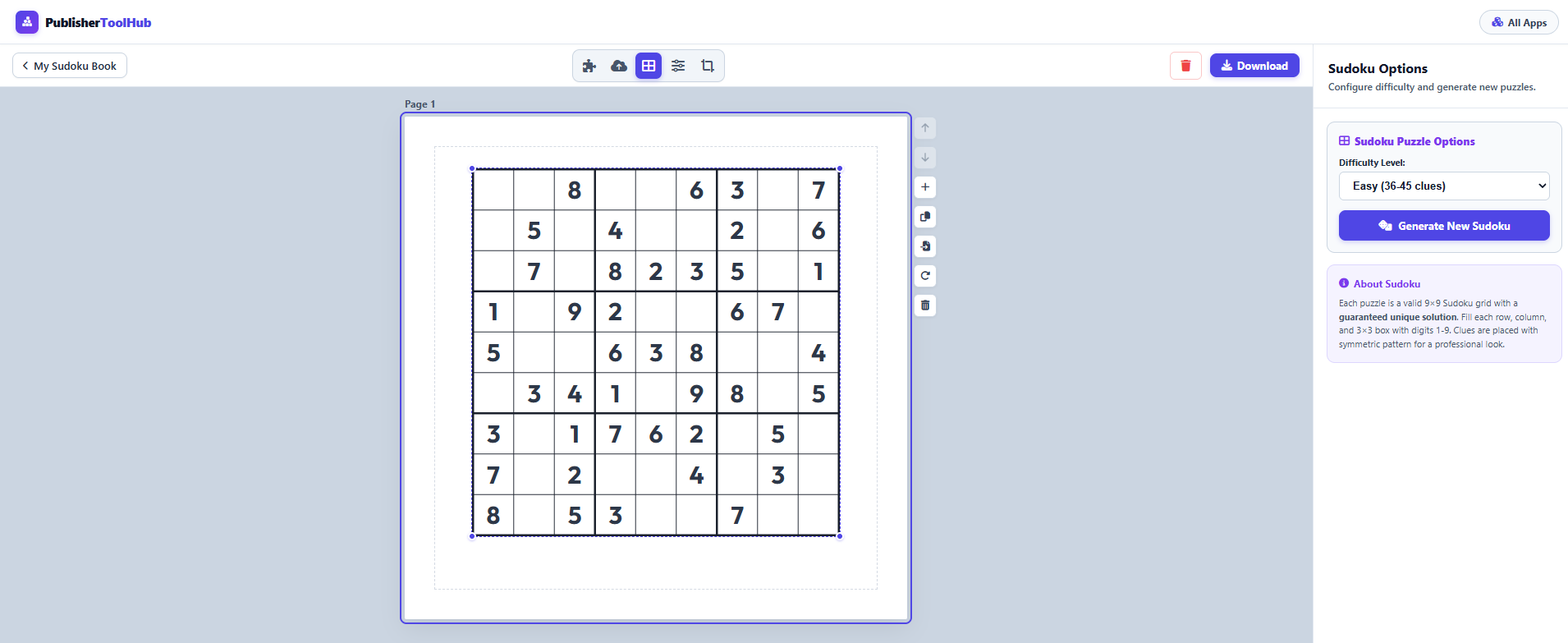
You can choose from 4 difficulty levels (Easy, Medium, Hard, and Expert) and organize your book so it gently escalates in difficulty, giving readers a deeply satisfying sense of accomplishment as they solve their way through.
Step 3: Interior Formatting, Margins, and KDP Trim Sizes
Amazon KDP has strict printing specifications. If your margins are even 1/16th of an inch too small, KDP's automated print previewer will reject your PDF manuscript. Here is everything you need to know about setting up your interior:
| Book Type | Recommended Trim Size | Page Count | Inside (Gutter) Margin | Outside Margin |
|---|---|---|---|---|
| Adult Word Search | 8.5 × 11 in (21.59 × 27.94 cm) | 100–120 pages | 0.500 in (12.7 mm) | 0.375 in (9.5 mm) |
| Senior Large Print | 8.5 × 11 in (21.59 × 27.94 cm) | 90–110 pages | 0.500 in (12.7 mm) | 0.375 in (9.5 mm) |
| Crossword Collection | 8.5 × 11 in (21.59 × 27.94 cm) | 100–130 pages | 0.500 in (12.7 mm) | 0.375 in (9.5 mm) |
| Pocket Sudoku Travel | 6 × 9 in (15.24 × 22.86 cm) | 120–160 pages | 0.500 in (12.7 mm) | 0.375 in (9.5 mm) |
The Gutter Margin Rule: Because paperbacks are bound with glue along the spine, the inner edge of the page (the gutter) needs extra breathing room. An inside margin of at least 0.5 inches prevents words or grid lines from disappearing into the book's crease when opened.
Resolution Matters: When exporting from your puzzle studio, always select 300 DPI Print-Ready PDF. Unlike blurry JPEG images or low-res web graphics, vector PDFs render crisp, razor-sharp lines and typography on commercial print presses.
Step 4: Answer Keys and Solution Pages
Never publish a puzzle book without solution pages. Amazon buyers will quickly flag the book as defective.
However, you do not want your solutions to take up one full page per puzzle, as this would double your page count and increase Amazon's printing cost. Instead, use multi-up solution layouts:
- Word Search Solutions: 2 or 4 solution grids per page at the back of the book.
- Crossword Solutions: 2 or 4 compact completed grids per page with answer letters filled in.
- Sudoku Solutions: 4 or 6 completed 9×9 grids per page, clearly labeled with matching puzzle numbers.
In the Publisher Tool Hub studios, the solution generator automatically formats solution pages at the end of your collection, giving you an end-to-end manuscript ready for instant export.
Step 5: Designing a Clickable Cover (Free)
While the interior is what delivers customer satisfaction and positive reviews, your book cover is what generates clicks. A great interior with an amateur cover will never sell.
You can design professional covers for free using Canva or photo editing tools:
- Calculate Your Spine Width: Use Amazon's free KDP Cover Calculator to determine your exact cover dimensions based on your trim size and page count.
- High Contrast Typography: Make your primary title readable even at small thumbnail size on a smartphone screen. Use bold, contrasting colors (e.g., bright yellow or white on navy blue).
- Feature Badges: Include clear benefit badges such as "Large Print (16pt Font)", "100 Themed Puzzles", or "Solutions Included".
- Back Cover Previews: Show 2 or 3 sample puzzle thumbnails on the back cover so prospective buyers know exactly what the interior looks like.
Step 6: Uploading to Amazon KDP for Maximum Visibility
With your 300 DPI interior PDF and print cover PDF in hand, log into your KDP dashboard:
- Title & Subtitle: Make your title natural and memorable, and use your subtitle to highlight audience specifics. Example: The Cozy Botanist Word Search: 75 Large Print Nature Puzzles for Gardeners and Plant Lovers.
- 7 Backend Keyword Boxes: Do not repeat words already in your title. Fill all seven boxes with long-tail buyer phrases like "relaxing gift for plant mom", "easy adult activity book for travel", or "botany vocabulary brain teasers".
- Categories: Select targeted sub-categories under Games & Activities > Puzzles rather than broad general categories.
- Print Options: Choose Black & white interior with white paper and No Bleed. Select a Matte cover finish for a modern, tactile feel.
- Pricing Strategy: Standard 8.5×11 puzzle books typically retail between $7.99 and $10.99, yielding approximately $2.50 to $4.25 net royalty per copy sold.
Why Free Tools Beat Paid Subscriptions for KDP
When you compare the traditional approach to a 100% free workflow, the math speaks for itself:
| Feature | Paid SaaS Tools ($20–$40/mo) | Publisher Tool Hub ($0.00) |
|---|---|---|
| Annual Cost | $240.00 to $480.00 / year | $0.00 Free Forever |
| Commercial Rights | Active subscription required | 100% Free Commercial Rights |
| Export Quality | 300 DPI PDF | 300 DPI Vector Print PDF |
| Account Requirement | Credit card & login required | No Account / Instant Access |
| Puzzle Variety | Often limited to 1 or 2 tools | 8 Studios (Crossword, Sudoku, Word Search, Mazes, etc.) |
By keeping your fixed production costs at zero, you can publish more experimental niches, test new seasonal themes, and reinvest your royalties into scaling your catalog.
Frequently Asked Questions
Can I really publish puzzle books on Amazon KDP without paying for software?
Do I own commercial rights to puzzles created on Publisher Tool Hub?
What is the best trim size for a KDP puzzle book?
How many puzzles should be in a KDP puzzle book?
Does Amazon KDP require puzzle solution pages?
Start Creating Your First Puzzle Book Today
No credit card, no registration, and no software fees. Choose your puzzle type and export your first 300 DPI print-ready book in minutes.
Open Free Puzzle Studios →